
I spent several months trying to determine which AI assistant was best.
Instead, I discovered something unexpected.
ChatGPT, Gemini, and Claude behaved less like competing products and more like members of a team. Rather than searching for a single winner for writing, business research, design, and software development, I found myself choosing different tools for different kinds of work.
To keep this experiment completely democratic, grounded, and applicable to the average professional, all three models were evaluated using their free tiers. Explicitly testing only the free versions allowed me to level the playing field, directly helping the average user understand exactly what utility they can extract without spending a single dime.
Here is how they stack up for non-technical and technical users alike, across creative writing, business planning, and coding.
On this page
The Contenders & Their PersonasAI Personas at a GlanceTesting MethodologyWhat I Didn’t TestLimitationsA Small Image ExperimentThe Verdict: A Hybrid Free-Tier Strategy to Maximize OutputA Word of CautionCoding: Some DifferencesThe Contenders & Their Personas
Interestingly, over months of testing, I automatically assigned distinct mental personalities to each tool based on how they approached the exact same problems:
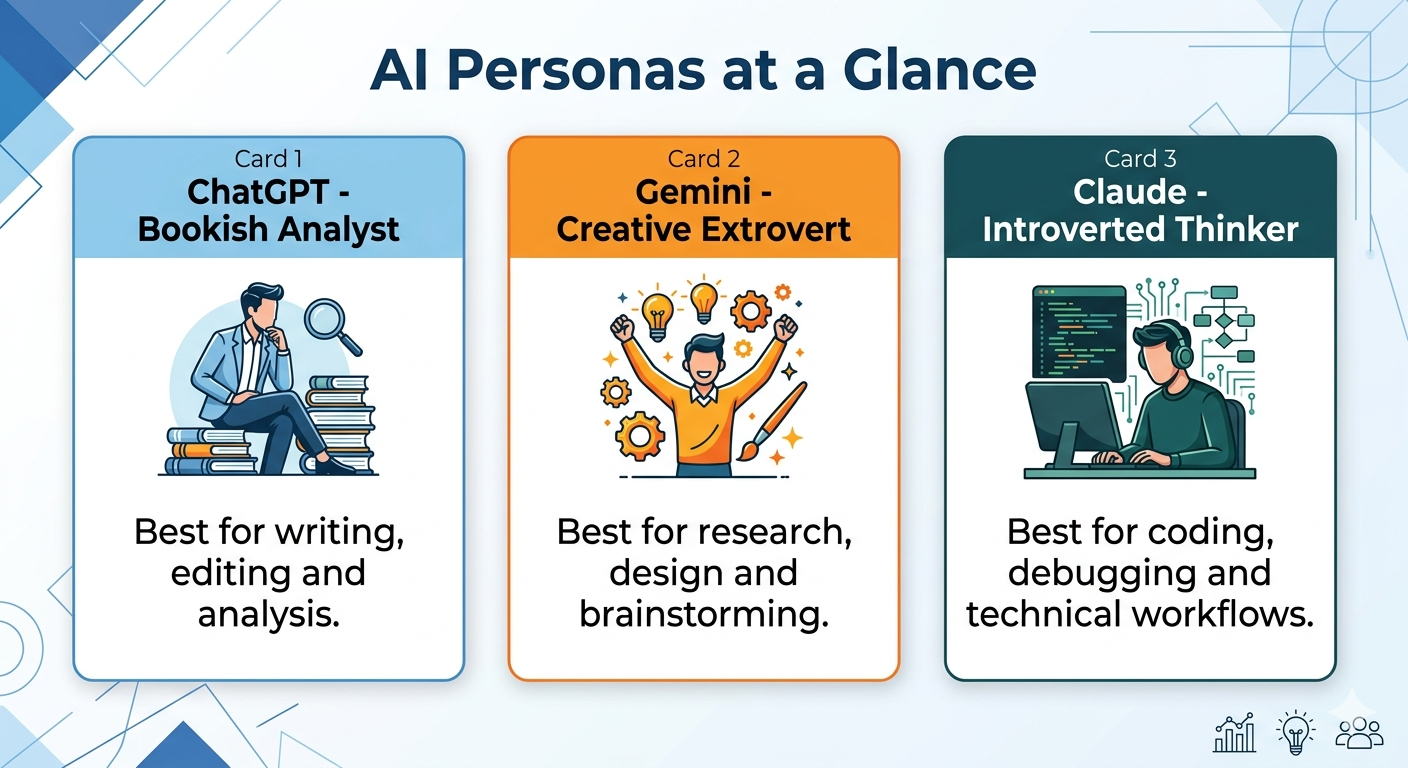
- ChatGPT: The Bookish Analyst. Analytical, logical, balanced, and excellent at putting information into neat structural boxes.
- Gemini: The Creative Extrovert. Deeply knowledgeable, highly optimistic, quick, and visually expressive.
- Claude: The Introverted Thinker. Tech-savvy, detail-oriented, cautious, and methodically precise.
Here is how those distinct personalities played out across three real-world experiments.
1. ChatGPT: The Structural Editor
The Test: Sourcing target markets, publisher recommendations, and editorial feedback for a sci-fi novel titled Martian Murder (a story about a murder on Mars involving genetically altered characters and interplanetary gangs).
The Experience: Using the free version of ChatGPT, the tool did a fantastic job narrowing the book’s target down to the dark-noir sci-fi genre. Once updated with plot points, it successfully mapped out a list of specific publishing houses to target and estimated commercial viability based on recent industry trends.
The Standout Feature: Its developmental editing capabilities were surprisingly sophisticated. When I inputted the first chapter, it flagged an unnecessary interlude with a neighbor that stalled the pacing, and noted that a specific line of dialogue felt “scripted and unnatural.” It even suggested compelling alternative titles suited for a future book series.
2. Gemini: The Deep-Research Creative
The Test: Conducting market research, branding design, and logistical planning for a premium consumer food product venture.
The Experience: Gemini was particularly impressive with its multi-step business research and visual flair. Upon describing the product, it immediately produced an astonishingly beautiful product label concept. What gives Gemini a significant advantage on its free tier is that Google allows its free version to tap directly into real-time Google Search and Google Maps data. This integration makes it a particularly strong tool for business research.
The Standout Feature: Gemini excels at workflow continuity and expansion. Leveraging that live data, it seamlessly guided me through creating a nutrition label, drafting promotional flyers, and defining target demographics. Remarkably, it went deep into actual logistics—comparing local commercial kitchens, identifying specialized heat-treatment facilities within actual driving distance, and even sourcing specific ingredients like vegan gelatin substitutes
The Nuance: Gemini is notably upbeat—sometimes a bit too positive—but it will list drawbacks and nix poor choices when explicitly asked to compare options.
3. Claude: The Senior Software Engineer
The Test: Writing Laravel code to integrate complex third-party APIs (QuickBooks and DocuSign) into a web platform.
The Experience: I turned to Claude after a developer mentioned its strong reputation for coding, and it did not disappoint. While Claude was noticeably slower to output text than ChatGPT or Gemini, this pacing seemed to point to a more rigorous, detail-oriented generation process.
The Standout Feature: Where Claude shone was in execution strategy. It didn’t just spit out raw code blocks; it presented clean, modular suggestions that appeared to follow strong security and architectural practices. It felt less like a basic code generator and more like a senior engineer mapping out an enterprise implementation framework.
The Downside: Claude’s built-in, guided follow-up questions felt a bit more straightforward and less thought-provoking than its peers, making it feel strictly focused on the technical task at hand. It was not as effective at using follow-up questions to guide discussion.
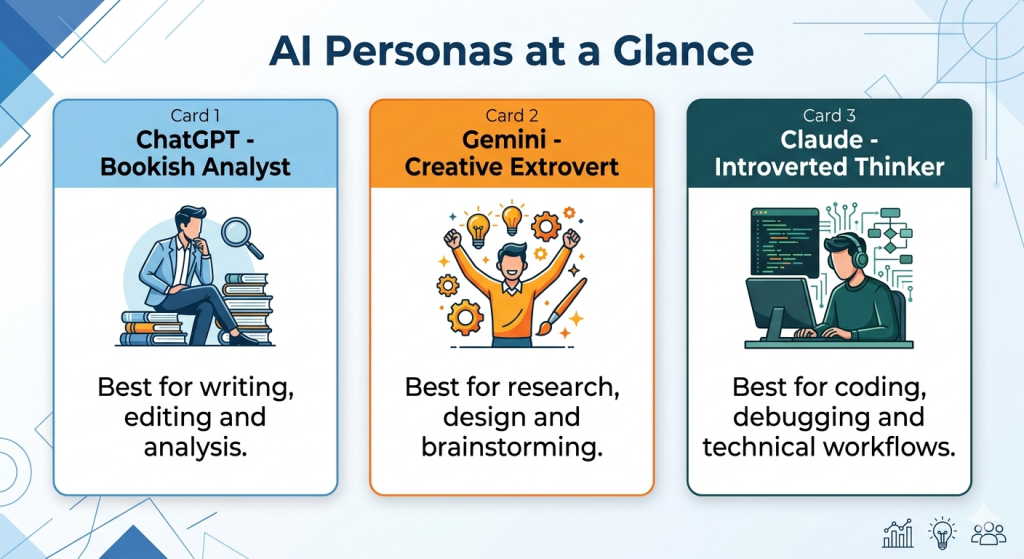
AI Personas at a Glance
One interesting observation was that all three models were capable of completing every task. The difference wasn’t whether they could perform the work, but how they approached it. The outputs often reflected distinct priorities: structure, creativity, or technical rigor.
Testing Methodology
- Period: Several months
- Tier: Free versions only
- Tasks: Writing, publishing research, business planning, branding, coding
- Evaluation criteria: Accuracy, usefulness, creativity, workflow support, and output quality
What I Didn’t Test
Areas I did not evaluate extensively include handling very large documents, advanced reasoning benchmarks, enterprise security controls, and long-term memory features. My conclusions are based primarily on practical day-to-day usage involving writing, business research, design, and software development.
Limitations
These observations represent a snapshot in time. AI models are updated frequently, and results may vary depending on prompting style, available free-tier features, and future model releases.
A Small Image Experiment
To test the inherent behavioral differences of each model, I ran an experiment: I fed the exact descriptions of my three “AI Personas” back into all three platforms as an image-generation prompt.
The Prompt: “Please produce images for each of these personalities: 1. Bookish, analytical, puts information into boxes, likes ratings and logical thinking, very smart, good writer, balanced. 2. Very knowledgeable, optimistic, creative, empathetic, quick, very smart, extrovert. 3. Tech-savvy, slower and detail-oriented, very smart, introvert, thinker.”
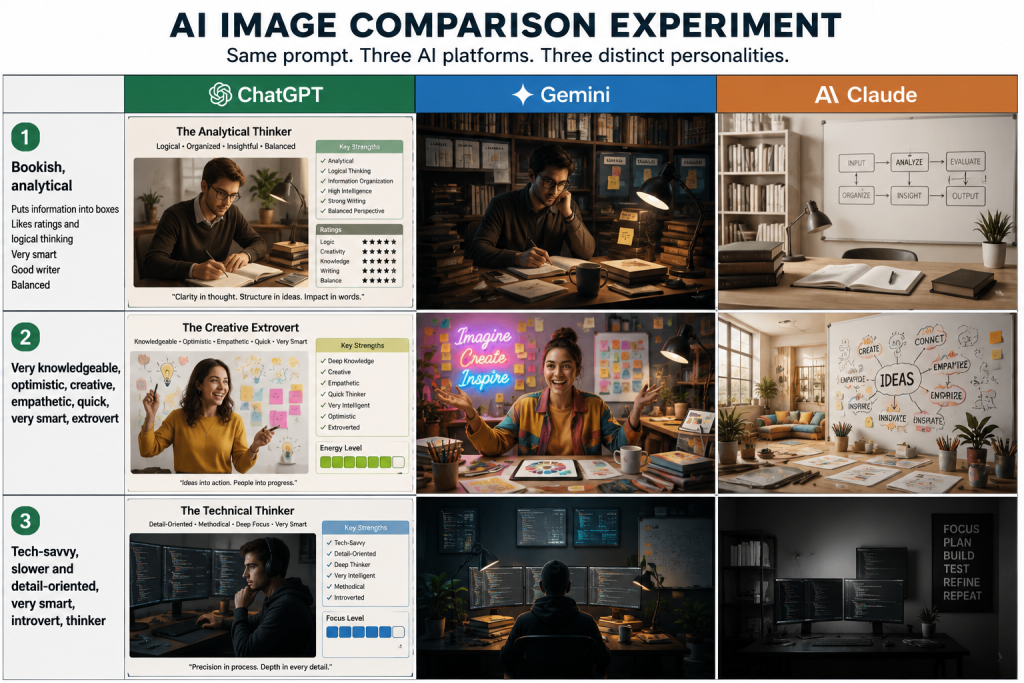
The visual results were surprisingly consistent with my earlier observations, but they also revealed how each platform’s underlying architecture approaches the same creative task differently.
ChatGPT: meticulously labeled and itemized all the descriptive qualities, utilizing its standard, native generation to output solid, highly literal character images. ChatGPT free users do face daily image-generation limits, which encouraged a more selective approach to experimentation than Gemini’s higher free-tier image-generation allowance.
Gemini: leaned heavily into its native multimodal strengths blending character designs with rich environmental backgrounds that captured the atmospheric “vibe” of each personality.
Claude: took a character-free, database-driven approach—since Claude’s free tier does not currently include native image generation, it responded by locating and organizing publicly available stock images of the physical environments (like a multi-monitor tech desk) where those tech personas would live. Not as effective at using follow-up questions to guide discussion in downside
The Verdict: A Hybrid Free-Tier Strategy to Maximize Output
The biggest surprise wasn’t that these tools produced answers quickly, but how fundamentally differently they approached the exact same prompts.
Ultimately, the goal isn’t to find a single AI platform to handle your entire workflow, nor do you need a stack of premium $20-a-month subscriptions to supercharge your business. By understanding how to level the playing field, the smartest strategy is a hybrid approach utilizing the distinct, complementary strengths of these free tools:
- Consult ChatGPT to structure, box, and edit your initial raw ideas.
- Leverage Gemini for research and to visualize concepts.
- Deploy Claude to methodically build, troubleshoot, and architect your code.
As someone involved in building productivity tools for consultants, I was struck by how much time free AI can save on research, planning, writing, and development.
A Word of Caution
As with any tool, AI can become a crutch. While all three systems produced impressive results, they can occasionally provide inaccurate information, fabricated facts, or code that requires testing before deployment. Always verify the output.
Worked with each of the 3 systems in April through June, 2026. This is a rapidly evolving space, so performance and characteristics may evolve as well.
Coding: Some Differences
We used each of the three systems for coding. While each can produce serviceable code, there are differences. We should not that code should not be accepted out of the box. Tweaks, changes, and verification that it works are still needed. So skilled programmers are needed, and in fact it is our position that skilled programmers are even more valuable in the age of AI coding, because finding someone else’s bugs is a challenging activity, and absolutely necessary for high quality systems. As an example, some of the calculators on TimeCatchApp’s website were initially coded using AI systems. But there were bugs in the code, and the code needed to be fitted into the style and organization of our website system. And those changes took skill and time to accomplish. But well worth the effort. If you have time, check out the calculators, which we have designed to be a set of calculators that help the consultant and freelancer in their daily work. For example, there is a currency conversion calculator which updates the currencies conversion rates daily.
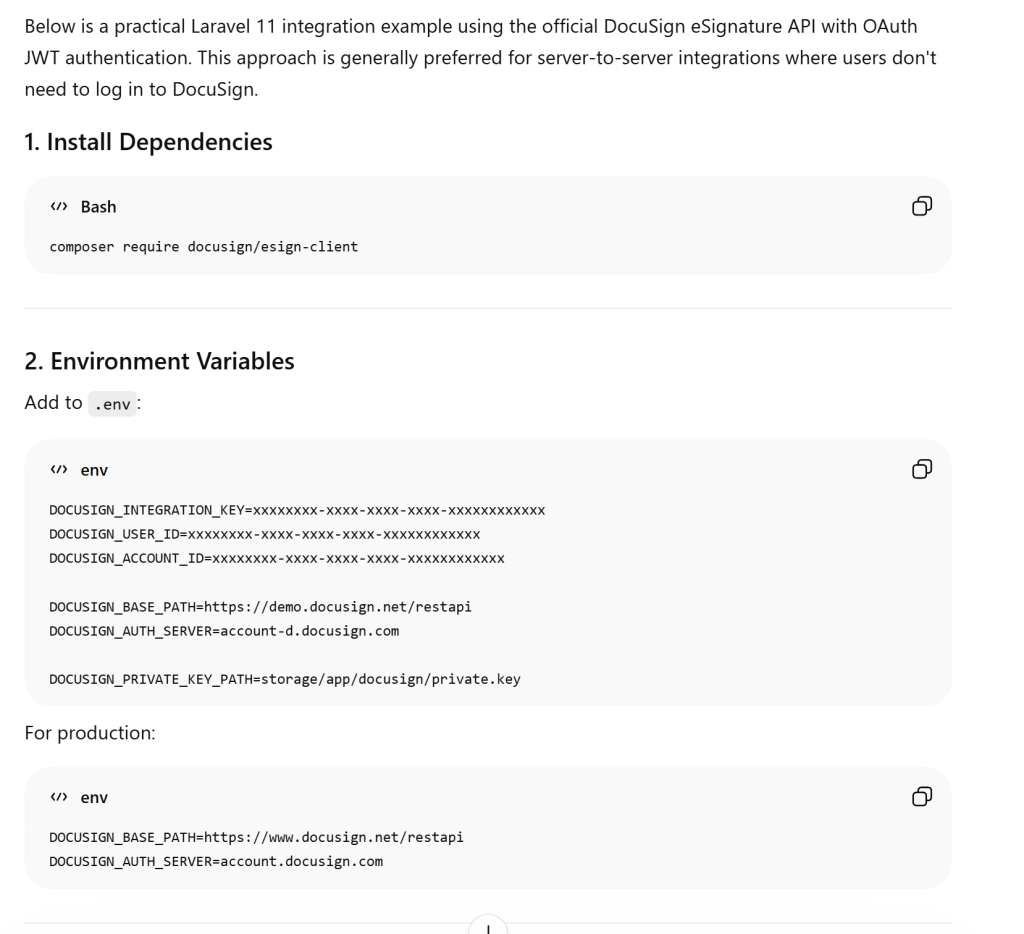
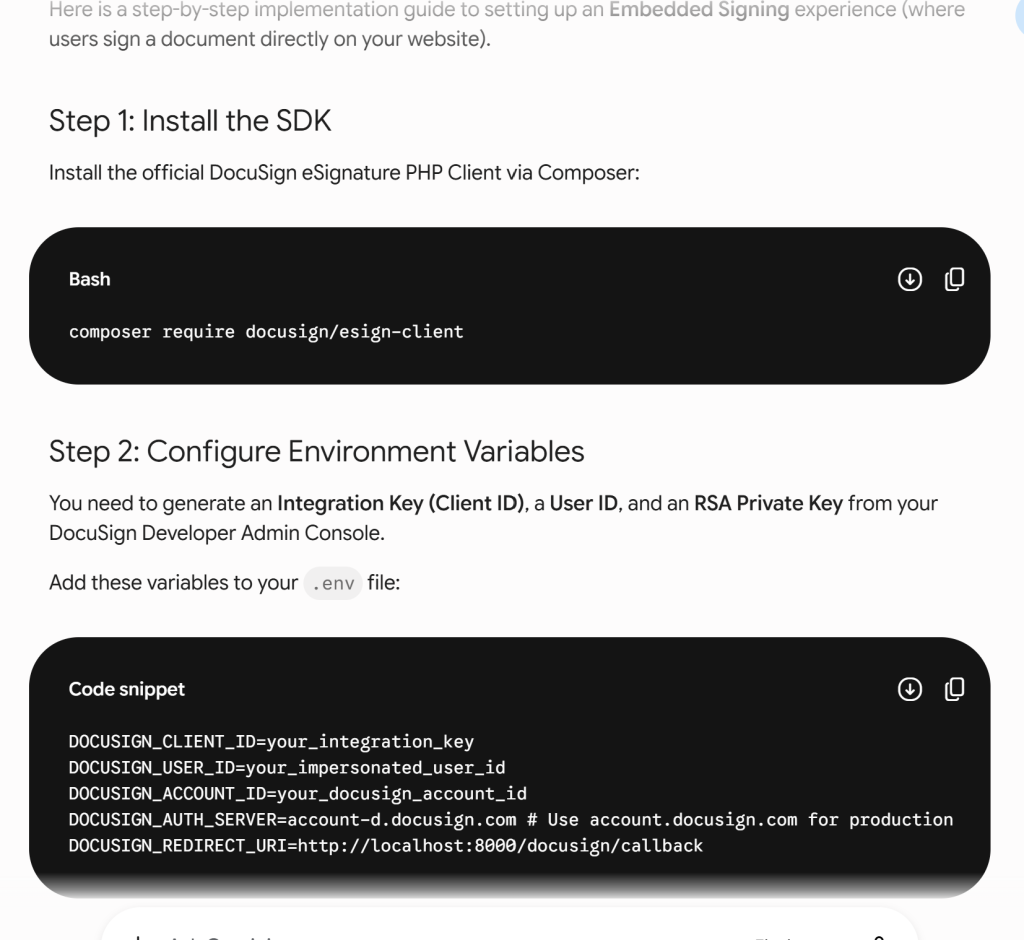
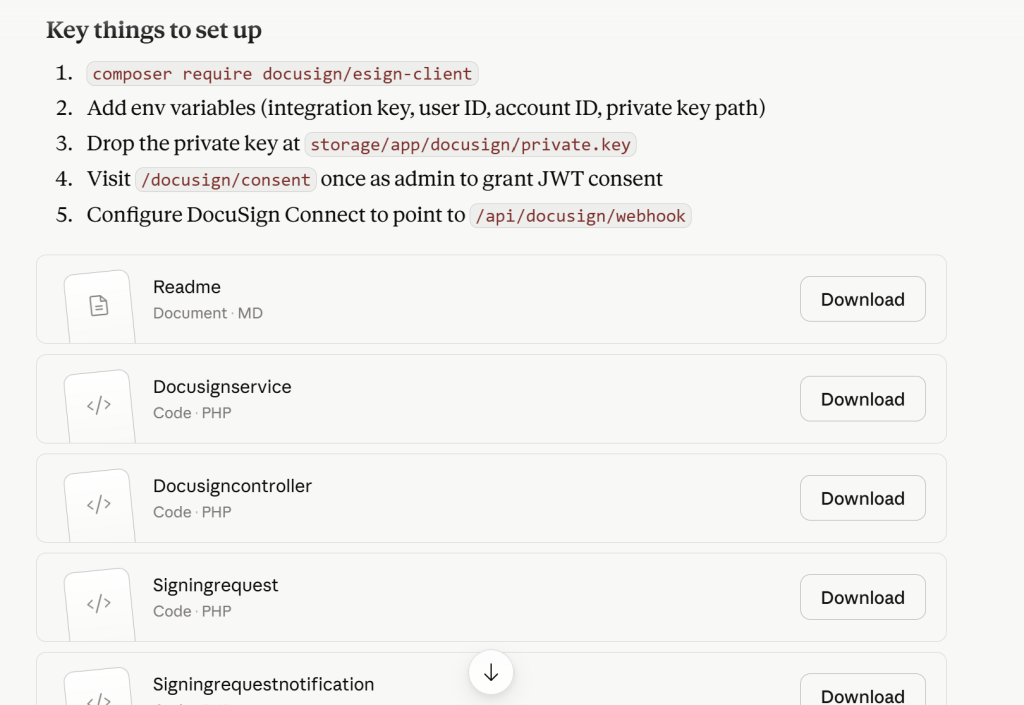
We asked each of the three systems to produce code to incorporate DocuSign into the website. Each produced code to achieve this goal. Each did it in their own way, but each was serviceable.
Let’s start with ChatGPT. Below is a screen shot from some of the output. The actual output is much larger, and included code including webhooks. As you can see, it produces a step-by-step instruction of what to do.
Similarly, Gemini produce code as well, with step-by-step approach. As you can see, consistent with its persona there was more explanation around each step with Gemini, which can be helpful. It can also clutter the output if it is not needed. So you will need to decide if this is a good fit for your personality. Similarly to ChatGPT, code snipped could be copied to the clipboard to be pasted into your editor.
Finally, Claude produce its own version of the code. As you can see, Claude similarly produce instruction, but also provided each of the files needed in a convenient, well-laid-out table of code snippets with names of files. There were more than what is shown in the image below, but this gives a good idea. As you can see, the instructions are straight forward and to the point, keeping consistent with its persona. This certainly has resonated with many programmers
This is consistent with survey results. Stack Overflow found that Claude was the most admired LLM, with an admiration level of 67%. Following that was Gemini’s Reasoning model (65%) and OpenAI’s Reasoning model (64%). More interesting information can be found at the link.