Time tracking is an essential practice in the consulting industry. Whether you’re working solo or managing a team, having an accurate record of your billable and non-billable hours ensures fair compensation and helps build trust with clients.
By using time tracking software consultants can more easily and efficiently track their work hours without the drudgery and inaccuracies of manually created timesheets. Additionally, using the right time tracking software for consultants can enhance productivity, improve project management, and streamline administrative tasks like invoicing.
Let’s explore how the right time tracking software can help you track time efficiently and grow your consulting business.
A Typical Consultant’s Day
No two days are the same, and your expected schedule at 9 am may be completely different by noon. But what typically happens is that you start the day with:
- Looking at your meeting schedule. Some are billable, some are not billable. You may then start to work on project work.
- After some time, the consultant needs to go to a meeting. Then do some work for another project. A third meeting, this time to talk about the third project of the day with the client.
- Then some last minute work for the fourth project that was requested by email and needs to be done today. So work to update the deliverables, this time in PowerPoint format. I upload the document to Dropbox.com, or even Sharepoint if you have to use that, and then send a note to the client with the link to the file.
- You then send another email to the client with the password. Now, before heading out, we need to send an invoice for yet another client.
- I need to enter the hours into the invoice, calculate the amount owed, print out the invoice (typically in a PDF), and send an email with the PDF as an attachment, carefully checking to make sure the email went to the right person.
- It’s now almost 6 pm, and I should really record the hours I spent on each project today. So I write it down in my diary, or at least a close approximation because I have forgotten what I did in the morning.
- I will get the hours entered into the time system later because the family needs me now.
The problem with this:
- Information is spread across multiple places, none of which are connected: Your memory, in a notebook, in dropbox.com, on your laptop, in the invoice generator software, in the time tracking software
- Time tracking relies on manual process that takes the focus off the project for long periods of time, which increases the time necessary to get back to the project
- This process is subject to errors as data are moved from one system to the next
- The time tracking process is a necessary evil that wastes time and is subject to billable work time loss
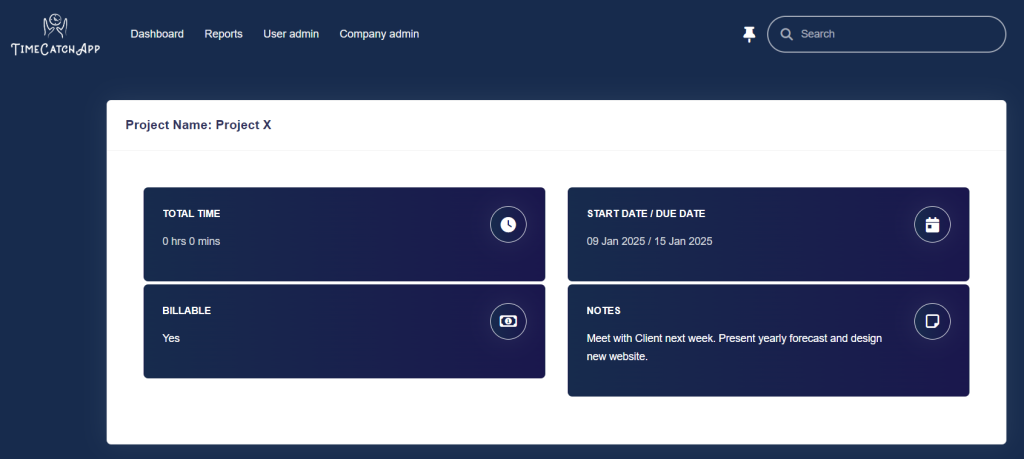
The best consultant time tracker software isn’t just a time tracker—it also functions as a consultant project management software, helping you organize tasks, set deadlines, and allocate resources efficiently. By integrating time tracking with project management, consultants can ensure that every project runs smoothly, deadlines are met, and client expectations are exceeded. Also, if you’re managing overtime or complex client hours, tools like a time and a half calculator can help ensure you’re billing precisely for every extra minute worked.
Looking at the Best Time Tracking Software for Consultants
Choosing the best time tracking software for consultants means looking for software that offers:
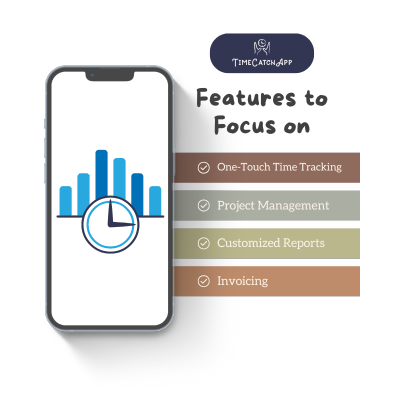
- Accurate time tracking: Log billable and non-billable hours seamlessly with minimal action on your part.
- Project management features: Organize tasks and projects efficiently.
- Automated invoicing: Convert tracked time and deliverables into invoices even when you forget about it.
- Integrated data storage: Keep your deliverables and intermediate work products together with the time tracking so you don’t need another app and another sign in
- Expense/time tracking: Monitor project costs to stay on budget.
- Project Management Capabilities: Organize projects by tasks and facilitate quick monitoring of progress on tasks.
- Time management and reporting: Filterable time reports at project and task level for detailed insights into productivity, to identify bottlenecks, and provide input for better management and decision-making.
- User-friendly: Ease of set up, intuitive interface and features that streamline workflow such as memos and alerts
- Cross-platform functionality: Access your time tracker for consultants on desktop and mobile.
Reliable project management software for consultants should not only help in time tracking but also provide insights into project progress, helping consultants allocate resources effectively and meet deadlines. As the Project Management Institute (PMI) notes, strong project management practices are essential for maintaining client satisfaction and achieving consistent results across consulting projects.
By integrating time tracking with project management, consultants can ensure that every project runs smoothly, deadlines are met, and client expectations are exceeded. The best productivity software for consultants, provides a seamless way to track time while staying on top of project demands. With consultant time tracking built into your workflow, managing multiple clients and assignments becomes effortless..
How Consultants Can Use TimeCatchApp to Track Hours
Using TimeCatchApp as your consulting software is easy and brings efficiencies to your work. Here’s a step-by-step guide:
Step 1: Sign Up for Free
Go to TimeCatchApp’s website and create an account using your Google, FaceBook, LinkedIn, or Email credentials. The setup is quick and hassle-free.
Step 2: Set Up Projects & Tasks
Categorize projects by client, create individual tasks, and set priorities for seamless time tracking consulting.
Step 3: Assign Hourly Rates and Roles
Programs make it easy to set different hourly rates per project or employee, ensuring accurate billing and revenue tracking. Employees can be assigned multiple roles at different rates within a project.
Step 4: Track Time Accurately
Use the built-in timer to track time in real-time or manually enter hours into your consulting time sheet. Pop-up memos allow you to quickly type a reminder of work done in each session. The software also allows you to edit time entries for better accuracy. Automated alerts and quick notifications streamline workflows boosting productivity and profitability.
Step 5: Attach Documents to Projects and Tasks
Easily attach documents to tasks and projects. These are stored with the associated task and project for ease of access and can easily be shared when needed.
Step 6: Generate Reports & Invoices
Once your hours are logged, time tracking software helps you generate detailed project overview reports and invoices that you can share with clients with the click of a button. Or tell the software to generate an invoice on a schedule that you choose. Reports are filterable by memos, tasks, users or time slices providing tremendous insight into processes and productivity.
Overview
It is an excellent choice for any consultant looking for time tracking software to utilize an easy-to-use software solution for managing your operations. Having a consulting time tracking app provides clear insights into billable and non-billable hours, allowing consultants to optimize their productivity. With automated tracking, real-time monitoring, and powerful reporting and documentation features, as well as ensures that your hours as a consultant are accurately recorded. Thereafter it will be seamlessly integrated with project and document management while including direct invoicing and invoice management.
Benefits of Using Consultant Time Tracking Tools
1. Maximize Billable Hours
Many consultants lose money due to untracked time. Forbes highlights how even small inefficiencies in time tracking can cost professional service firms thousands of dollars each year. With time tracking software for consultants, every email, call, and meeting is logged, ensuring accurate billing.
2. Automate Timesheets
Forget about manually filling out consultant time sheets. Automatically track your hours and organizes them for easy reporting. With automated invoicing features similar to those in freelance invoice software, you can convert tracked time into invoices instantly and reduce administrative overhead.
3. Improve Productivity
Time tracking software for consultants isn’t just about billing—it’s also about efficiency. Get insights into how you spend your time, helping you eliminate inefficiencies.
4. Enhance Client Trust
Transparent time tracking consulting ensures that clients know exactly how much work has been done, fostering stronger client relationships.
5. Save Time on Admin Tasks
From tracking project costs to quick access to relevant documentation to generating invoices with one click, consultant time tracking software eliminates tedious administrative work, allowing you to focus on what truly matters—your consulting business.
Learn more about effective consultant time tracking strategies to make the most of every billable hour.
Time tracking software offers all these features and more in its free for life version. Being a free tool makes it one of the best time tracker for consultants who want a simple yet powerful solution that provides an easy-to-use platform that automates hours tracking and optimizes workflows. The software is designed specifically for consultants who need a comprehensive solution that streamlines their workflow and enhances productivity and is outstanding for its ease of setup and quick onboarding.
What Makes the Best Time Tracking Software for Consultants
Certain programs stand out as the best consultant time tracking tool because they will cater specifically to the needs of consultants. Unlike generic time tracking apps, it offers features that align with the workflow of consulting professionals, making it a must-have consultant time tracker.
- Free Forever: Very few programs offers a free time tracker for consultants with all essential features and additional nice to have features.
- Cross-Platform Access: Track time on desktop, mobile, or browser.
- Customizable Reports: Generate detailed reports with insights on billable hours, revenue, and project costs. Reports are highly customizable by memos, tasks, users and/or time slices providing tremendous insight into processes and productivity,
- Fully Integrated Document Management: Provides for storage, easy and quick access, and sharing of documents, organized by project and task within project
- Direct Invoicing: Generate invoices, preview and share with clients with one click. Dates of invoice generation, review and dispatch are recorded with each project along with the invoice and any receipts. Invoices are customizable to add any pass through costs and payments can be recorded with balances updated automatically. Invoice generation can be done manually or set to an automated schedule as desired.
- Scalable: Suitable for solo consultants, small teams, and large firms.
- Consultant-Friendly Features: With features designed specifically for consulting professionals, it is the best time tracking app for consultants who want an easy and efficient way to track their work hours. Automated alerts and quick notifications streamline workflows boosting productivity and profitability.
Get Started Today
If you’re looking for the best time tracking consulting software, TimeCatchApp is the solution. Through simplification of time tracking for consultants, ensuring that every minute is accounted for, and making invoicing and reporting effortless.
With its intuitive interface and powerful features, time tracking tools are the ultimate consulting time saver, helping you streamline your workflow and maximize your billable hours. Whether you need a consultant time tracking app to manage multiple projects or a solution that integrates seamlessly with your existing tools, has you covered.
Start Tracking Time – It’s Free!
Sign up today and take control of your time, projects, and profitability with the leading consultant time tracking app.