
Russell Reeve, Ph.D. Dr. Reeve has been a consultant in the clinical trial space for over 20 years. linkedin.com/in/russell-reeve
TimeCatchApp should be considered a Hubstaff alternative for consultants and professional service firms that need reliable time tracking without screenshots. Rather than monitoring screens or measuring keyboard activity, TimeCatchApp documents the work itself through time slices with notes, tasks, documents, project history, background audit trails, and integrated invoices.
Most Hubstaff alternatives are designed for companies managing remote employees. TimeCatchApp was designed for consultants, freelancers, and professional service providers who need to prove work while maintaining client confidentiality and professional trust. With TimeCatchApp, client information or your personal data are secure and controlled by you.
On this page
Screenshots Prove Activity. TimeCatchApp Proves Outcomes.The Trap Most Time Trackers Put You InScreenshot Systems Are Not Designed For ProfessionalsHubstaff Alternative Comparison: Monitoring Activity vs. Documenting WorkProof Without Surveillance: Time Tracking Without ScreenshotsWhat We Say When a Client Asks for a Screenshot TrackerLook at TimeCatchApp as an alternative to Hubstaff.FAQScreenshots Prove Activity. TimeCatchApp Proves Outcomes.
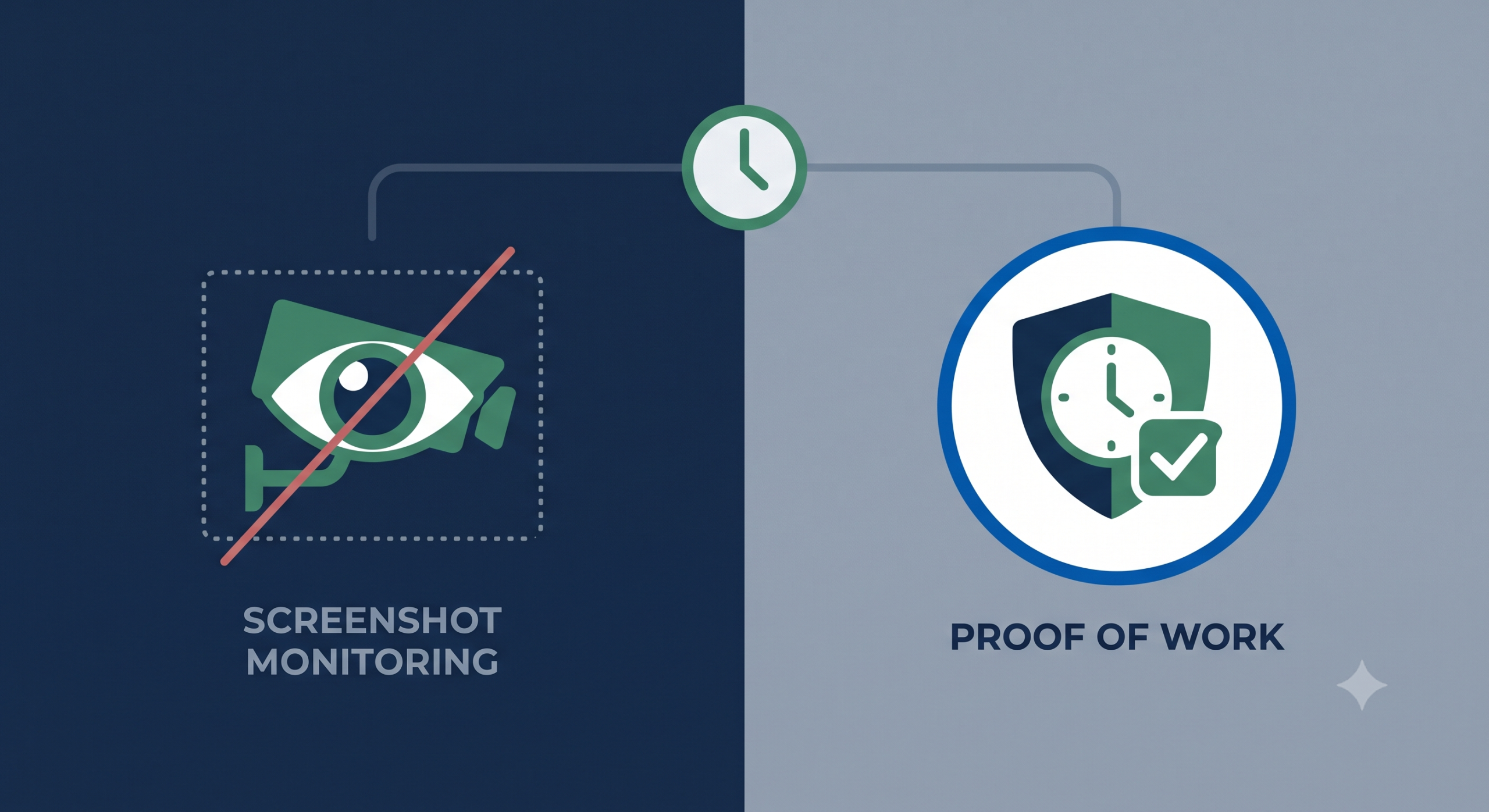
Professional work should be measured by outcomes, not mouse movement.
A screenshot can prove your mouse moved at 2:17 PM.
It cannot prove that you solved a client problem, completed a proposal, analyzed data, revised a document, or advanced a project.
TimeCatchApp documents the work itself: Time entries (with your comments and notes), tasks, documents, project history, communications, and invoices, creating evidence tied directly to outcomes rather than screen activity.
That’s the difference between monitoring a worker and documenting professional work.
The Trap Most Time Trackers Put You In
Is this a situation you have been in? A client or employer wants proof for the hours they pay you. That sounds reasonable. The problem is how they get that proof: Hubstaff, or similar software, solves this problem by taking a screenshot of your screen every few minutes and reducing your workday to an “activity percentage.” Screenshots may be taken at fixed intervals, but they are often captured at random times.
For you, the consultant, this creates problems:
- Privacy. Now every notification, every other client’s message, every password manager popup, every unrelated tab, personal or business, is at risk of being included in a screenshot going to someone you don’t know, and is stored on servers you do not control.
- Reputation. Reputational risk increases. For consultants juggling multiple engagements, that’s not a paranoid concern — it’s a real confidentiality risk.
- Not accurate. Yes, this is correct. This way of determining time spent working is inaccurate. Activity scores built on keystrokes and mouse movement don’t account for the thinking, reading, and planning that make up a large share of consulting work in the first place.
- Trust and morale. Nothing says “I trust you” like requiring screen surveillance as proof of work in a professional, knowledge-based field.
- Easily circumvented. Talk with anyone who has to use these systems. They’ve all figured out ways to circumvent them, and relatively easily as well. And now with agentic AI, that task is easier and more sophisticated than ever.
- Limits you to one device. The modern professional may work at the desk on their laptop or desktop (ok, very few desktops nowadays), then take a call at the coffee shop or review documents on the iPad. Screenshot software assumes you are on one computer. TimeCatchApp can record your time wherever you are. Start a client call on your laptop, then continue it from your phone as you head to your next appointment? That transition is seamless on TimeCatchApp. Good luck with that on a screenshot system.
Screenshot Systems Are Not Designed For Professionals
I was looking at buying a salon franchise. Talking with the franchise salesman, we had a discussion about how to manage these types of business. The recommendation was to not run the franchise myself, but to get a hair cutter to be the manager. “The nonprofessional employees are different than the professional you are used to. If you have a programmer, they are going to show up to work without you knowing if they are there or not. That’s just the way they are. And that is the kind of employee you are used to working with. The employees in these franchises tend to be different. They will call in sick to go to a concert. They will go for lunch without clocking out. You need someone managing them that understands them.”
And this is the disconnect with the screenshot software. It reflects a management approach designed for environments where attendance and activity monitoring are the primary concern, rather than environments where value is created through expertise, judgment, and client relationships.
As a professional, if you go for a short walk to think, are you working? Yes, yes you are. And you should get paid for that. With a screenshot-based monitoring system, that work often becomes invisible. Some of my best ideas have come from those walks. Keeping me tethered to the screen jiggling my mouse is not productive.
Screenshot monitoring is often a solution in search of a problem, creating unnecessary friction between managers and employees and between consultants and clients. With tools like TimeCatchApp, you get the benefits without that self-imposed conflict.
Hubstaff Alternative Comparison: Monitoring Activity vs. Documenting Work
The difference between Hubstaff and TimeCatchApp isn’t simply features. Hubstaff is designed to measure activity. TimeCatchApp is designed to document outcomes. The table below illustrates the difference.
Table 1. Screenshots Prove Activity. TimeCatchApp Proves Outcomes.
| How | Hubstaff | TimeCatchApp |
|---|---|---|
| Screenshots of your screen | Yes, on a timer | Never |
| Keystroke / mouse activity scoring | Yes | Never |
| GPS / location tracking | Yes (mobile) | Never |
| Proof tied to actual deliverables | Indirect (activity %) | Direct — time, documents, tasks, invoices |
| Time tracking | Yes | Yes |
| Task tracking | Yes | Integrated |
| Document management | No | Yes |
| Invoice generation | Yes | Integrated |
| Evidence of deliverables | Indirect | Direct |
| Built for | Managing outsourced/remote staff | Professional service providers |
| Audit trail for billing disputes or file access verification | Not built for this | Yes — see Paper Trail / Audit Trail |
Proof Without Surveillance: Time Tracking Without Screenshots
TimeCatchApp proves the hours you work by documenting what those hours produced. Every time entry can be linked to the specific project, task, or deliverable it belongs to, and the audit trail timestamps tell the story of who did what and when, without ever capturing your screen.
Most monitoring tools don’t even solve the client’s or employer’s problem: Most clients who ask for a tracker don’t actually want to watch you work — they want to know the number they’re being billed is real. Screenshots are just the bluntest way to get there. Even then, the clients are busy too and most likely do not have time to review the screenshots either.
TimeCatchApp gets to the same place — a defensible, timestamped record — without exposing your screen, your other clients’ information, or turning a trust relationship into a surveillance one.
- Defensible: Time-stamped records tied to project activities
- Private: Zero screen capture or activity scoring
- Confidential: Client or your private information is never exposed
For consultants and professional service providers, a privacy-friendly time tracker may be more important than activity monitoring. Clients want confidence that billed hours are legitimate, not a collection of screenshots. TimeCatchApp provides that confidence through timestamped work records, task history, and supporting documentation rather than screenshot monitoring software.
What We Say When a Client Asks for a Screenshot Tracker
“I track and bill my time through TimeCatchApp, which gives you a timestamped record of the work, time slices with comments, documents, tasks, and hours, attached directly to your invoice. I don’t use screenshot-based tools, partly because they’d expose other clients’ confidential information on my screen alongside your work. Happy to walk you through what the reporting looks like.”
That reframes the conversation from “why won’t you let me watch you” to “here’s the proof you actually wanted.”
Look at TimeCatchApp as an alternative to Hubstaff.
If you’re looking for a Hubstaff alternative that provides accountability without screenshots, TimeCatchApp was built specifically for consultants, freelancers, and professional service providers. Instead of monitoring activity, TimeCatchApp creates a defensible record of the work itself through tasks, documents, timestamps, and invoices.
Professional work should be measured by outcomes, not mouse movement.
FAQ
Absolutely! TimeCatchApp is designed for consultants, freelancers, and service providers who value their privacy. TimeCatchApp tracks time (with comments), documents, and invoices without screenshots, activity scores, or GPS tracking, using one-click technology.
TimeCatchApp’s audit trail timestamps every task, document, and invoice action automatically, creating a record you can share with a client — without exposing your screen. See Paper Trail / Audit Trail Software for how that works. For comments on what you were doing for every time slice, there is a comment field that you can type into. Also a great way of recalling what you were doing when you get interrupted.
Yes. TimeCatchApp never captures screenshots, tracks keyboard activity, or monitors mouse movement. Instead, it records time, tasks, documents, and project activity.
Many would if they had a lower-friction way to verify billed time. Screenshot tools became the default because they’re easy to sell to a skeptical client, not because they’re the best way to prove work. A documented, timestamped record of tasks and deliverables does the same job without the privacy and security downsides.
No. None of these are tracked. TimeCatchApp records actions on projects, tasks, documents, and invoices only.
No account migration is required to start — you can begin tracking time and inviting clients/team members immediately with a free 14-day trial. Takes 2 minutes to start.
Many professionals prefer tools that provide proof of work without requiring screenshots, activity scoring, or screen monitoring.
Traditional employee monitoring software focuses on observing activity. TimeCatchApp focuses on documenting completed work and creating an audit trail tied to deliverables.