
Written by Russell Reeve, PhD. LinkedIn profile: linkedin.com/in/russell-reeve
On this page
Track Time Without Interrupting Your WorkThe Hidden Cost of Manual Time TrackingReal Example: Why Time Tracking Cost My Team $70,800 Per YearTracking Time Should Not Require ReconstructionBuy Back the TimeOne-Click Time TrackingUnderstand Where Your Time GoesConnect Time Tracking To The Entire WorkflowFrequently Asked QuestionsMaximize Billable UtilizationRelated PagesTrack Time Without Interrupting Your Work
Capture every billable hour without reconstructing the day (or week or month) while staying focused on client work. Manual time tracking interrupts your work flow, diverting your attention. TimeCatchApp’s one-click approach keeps you working in deep thought, and your work tracked without later needing to reconstruct your day.
Consultants and professional service providers are paid for expertise, for results, for output, not for administration.
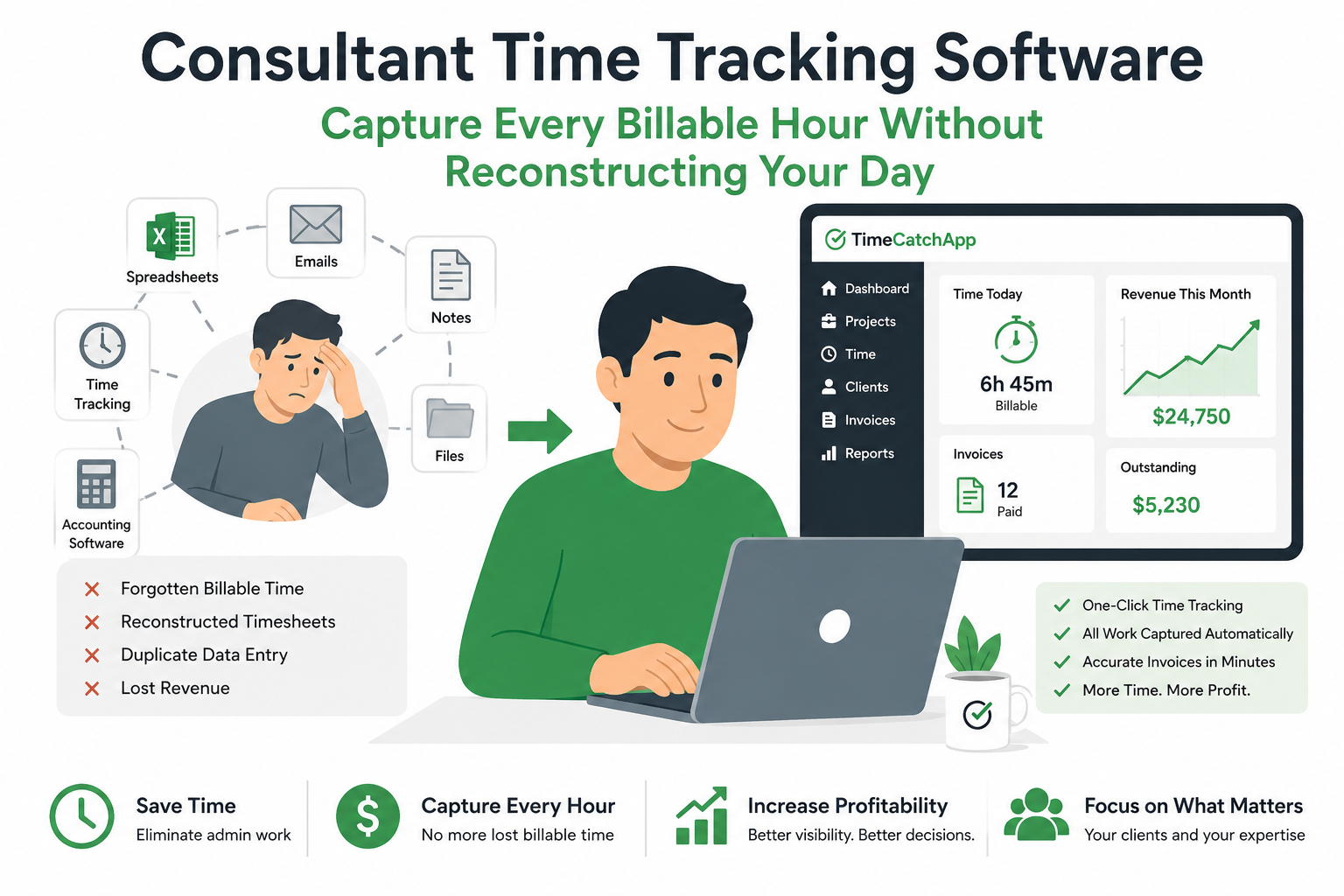
Unfortunately, many consultants spend valuable time reconstructing their day, updating spreadsheets, and trying to remember what work was performed for which client.
The Hidden Cost of Manual Time Tracking
Every time you stop working to update a spreadsheet or switch between disconnected tools, you pay a productivity penalty.
That penalty compounds throughout the day.
Consultants often lose time through:
- Forgotten billable activities
- Reconstructed timesheets
- Duplicate data entry
- Context switching between tools
- Administrative reporting
The result is lower utilization and reduced profitability.
Real Example: Why Time Tracking Cost My Team $70,800 Per Year
Before founding TimeCatchApp, I spent many years working as a consultant and eventually became the global head of a specialized consulting practice within an S&P 500 company.
Like many consultants, I tracked my time using a combination of spreadsheets and handwritten notes.
At first, it seemed reasonable.
Whenever I started a task, I recorded the time, the project, and often the specific activity. If I was away from my laptop, I used a notebook. If I was at my desk, I used Excel.
The problem wasn’t recording the time.
The problem was reconstructing it.
At the end of every month, I had to review spreadsheets, notebooks, meeting schedules, emails, and messages to determine how much time had been spent on each project and deliverable.
Mistakes happened regularly.
Meetings were forgotten.
Tasks were missed.
Entire blocks of time occasionally disappeared.
The process typically consumed a full day every month.
In addition, our consulting group relied on administrative support to chase timesheets, prepare invoices, and follow up on payments.
For a team of eight consultants, that amounted to approximately 29.5 hours of administrative effort every month.
At a billable rate of $200 per hour, that represents nearly $5,900 per month, or more than $70,000 per year, spent managing time records instead of delivering value to clients.
The lesson was simple:
The biggest cost of time tracking isn’t the software.
The biggest cost is the administrative effort required to reconstruct work after it has already been completed.
OLD VERSION
I consulted for a living for many years. When working in a large consulting organization, I generated enough business to keep several more junior consultants busy. Because of this I rose through the ranks to become global head of a high-end consulting practice within a S&P 500 company. I don’t say this to brag, but to show you that I have lived this world. And I would track my time with:
- Excel spreadsheet
- Notebook
To make this work, I entered not only the start/stop times, but also the project and task. I had to write that out so I could find it later. This would break my concentration, since now I was trying to remember the name of the project, and not the work of the project. This would slow down my work once I got back to it.
Yes, I used both at the same time, because I would need to track time while on the go, in meetings at coffee shops or while on vacation, or at home, when I did not have my laptop with me. And at the end of every month I would try to figure out how much time I spent on each project, and on each task within a project. By day. Each day.
At the end of each month, I would then need to enter this information into a time sheet. Mistakes would happen. My administrative assistant (yes, I need one to follow up on the timesheets, to issue the invoices, and track on payments). Corrections would need to be made, which meant looking through my notes again.
And how would I determine what I was working on? I would start with my time logs. I would then review the meeting schedule, because some project time would be omitted. In fact, potentially entire days were forgotten. I would then also look through Teams messages and emails. Talk about a context mess.
This would typically consume 1 full day a month just recreating my time logs, and it would still be quite inaccurate. Plus I had an administrative assistant for my group of 8 consultants. So that is a total time commitment of 29.5 hours per month. That is 3.5 full days. At a bill rate of $200 per hour, that is a total cost of $5,900 per month, or $70,800 per year!
Is this unusual? Not at all. Mark Ellwood found that consultants spend 21% of their time on administrative tasks.
Consultants are paid for expertise, not for reconstructing timesheets. Every hour spent rebuilding project history is an hour not spent serving clients, developing business, or generating revenue.
Russell Reeve, PhD
Tracking Time Should Not Require Reconstruction
Most consultant time tracking software focuses on recording hours.
The real challenge is preserving context.
When consultants wait until the end of the day, week, or month to record their work, they are forced to reconstruct what happened.
That often means searching through:
- Calendars
- Emails
- Meeting notes
- Project plans
- Chat messages
- Documents
Every search consumes time.
Every interruption creates context switching.
Every context switch reduces productivity.
The most effective consultant time tracking software captures work while it is happening and keeps that work connected to the project, task, client, and deliverable where it belongs.
That is the approach TimeCatchApp was designed to support.
Buy Back the Time
I am not willing to pay for full time support so that I can use free software. So this is what I do now.
All my projects go into TimeCatchApp. When I get a new client, I create a project for them, and I set up the bill rate in the invoicing section. Do this first. Set it and then you do not need to remember, since the system will remember for you.
I then create tasks within the project. Each thing I need to do is one task. For simple project, these tasks default to billable with a role given by the project. That time just roles into the invoice at the end of every month. I don’t have to think about it.
During the project, I click on the clock in/out button to start/stop the timing. It is really important to keep this process simple, because longer interruptions will slow your brain down and will create more time to restart. Interruptions as little as 3 second will start to affect your performance, so keep this simple. I pin the TimeCatchApp dashboard to the leftmost tab so find it quickly without thinking, I click the button, and get onto the work. Minimal effect on my brain function, keeping my attention on the work at hand, and not the administrative work.
When it comes time to invoice, the system captures all time in the time period that is billable and puts it on the invoice. All time is tracked and record, nothing lost. And no time is ever duplicated, because the system knows the disposition of each and every time slice.
I never have to worry about tracking time. It is all there. It is so easy to keep track, and I lose no time producing invoices or justifying my time. And I now have complete transparency with my customers and to the minute time spent working. I don’t need to round to the hour. Of course, if I want to round I can as TimeCatchApp will apply my rounding policy automatically. It’s your choice.
One-Click Time Tracking
TimeCatchApp simplifies consultant time tracking with one-click clock-in and clock-out controls. Time is automatically associated with the correct client, project, task, and deliverable, reducing administrative effort while improving billing accuracy. Takes 1 second to track the change. This minimal time is important to keep your work in the active zone.
Track work directly against:
- Clients
- Projects
- Tasks
- Deliverables
Because the timer is connected to your work environment, every recorded minute remains attached to the context in which it was performed.
Time shows up on the correct invoice. Automatically. With correct totals.
Completed deliverables show up on the correct invoice. Automatically. With correct totals.
Understand Where Your Time Goes
Time tracking should produce insight, not just records.
TimeCatchApp helps consultants understand:
- Billable versus non-billable work
- Project effort distribution
- Team utilization
- Budget consumption
- Delivery performance
These insights help improve planning, staffing, pricing, and profitability.
To get these insights, we recommend you track all of your time, billable and non billable. Non billable projects are important as well. Set them up as non billable projects, and track the time just as easily.
Connect Time Tracking To The Entire Workflow
Most time tracking tools stop at the timesheet.
TimeCatchApp continues the workflow.
Recorded work can support:
- Invoicing
- Financial reporting
- Project management
- Documentation
- Client and internal communication
- Audit trails
Everything stays connected. It is all attached directly to the project or to the task. Nothing gets lost.
Frequently Asked Questions
What is consultant time tracking software?
Consultant time tracking software helps independent consultants, freelancers, and professional service firms record the time spent working for clients.
Unlike general employee time clocks or payroll systems, consultant time tracking software is designed around billable work. It connects time entries to clients, projects, tasks, deliverables, and invoices so that every billable hour can be accurately captured and accounted for.
The best consultant time tracking software not only records time but also helps consultants understand profitability, utilization, project performance, and revenue generation.
How do consultants track billable hours?
Consultants typically track billable hours using spreadsheets, handwritten notes, timesheet systems, mobile applications, or dedicated time tracking software.
Many consultants begin with simple methods such as Excel spreadsheets or notebooks. While these methods can work initially, they often become difficult to manage as the number of clients and projects increases.
Modern consultant time tracking software allows consultants to record time directly against clients, projects, tasks, and deliverables, reducing the need for manual record keeping and improving billing accuracy.
Why do consultants forget billable time?
Consultants usually forget billable time because they delay recording their work.
A consultant may complete a task, attend a meeting, answer client emails, review documents, or participate in a phone call without immediately recording the activity.
Days or weeks later, they attempt to reconstruct what happened.
At that point, details are often forgotten.
The longer the gap between performing the work and recording the work, the greater the likelihood that billable activities will be missed.
Capturing time while work is occurring is one of the most effective ways to reduce lost revenue.
How much time do consultants spend on timesheets and administrative reporting?
The answer varies by organization, but many consultants spend several hours every month preparing timesheets, reviewing project records, correcting billing errors, preparing invoices, and following up on payments.
Research has shown that professional service providers often spend a significant percentage of their time on administrative activities rather than client work.
The true cost is often larger than expected because consultants are not only entering data. They are also searching for information, reconstructing project history, and switching between multiple systems.
These hidden costs can reduce both productivity and profitability.
What is billable utilization?
Billable utilization measures the percentage of available working time that is spent performing billable client work.
For example, if a consultant works 40 hours during a week and 30 of those hours are billable to clients, their billable utilization rate is 75%.
Utilization is one of the most important metrics for consultants because it directly affects revenue generation.
Improving utilization does not necessarily require working more hours. In many cases, it means reducing administrative work, minimizing context switching, and capturing more of the billable work already being performed.
Can consultant time tracking software generate invoices automatically?
Yes.
Many modern consultant time tracking systems can automatically generate invoices using the time and project information already captured within the platform.
When time entries, billable tasks, deliverables, and project milestones are tracked throughout the engagement, invoice generation becomes largely automatic.
Instead of manually rebuilding project activity at the end of the month, consultants can review invoice drafts and approve them for delivery.
TimeCatchApp can automatically create invoices from completed billable work, helping consultants reduce administrative effort while improving billing accuracy.
What is the difference between time tracking software and project management software?
Time tracking software focuses primarily on recording and reporting how time is spent.
Project management software focuses on organizing work, managing tasks, tracking deliverables, and coordinating projects.
Traditionally, consultants have used separate systems for time tracking and project management. This often requires moving information between applications and creates opportunities for errors and duplicate work.
Integrated platforms such as TimeCatchApp connect time tracking directly to projects, tasks, deliverables, invoicing, and client management so that information only needs to be entered once.
How does TimeCatchApp reduce context switching?
Context switching occurs whenever a consultant stops working on a task and shifts attention to a different activity.
Examples include:
- Updating spreadsheets
- Entering timesheets
- Searching for project information
- Reviewing emails
- Preparing invoices
- Looking for supporting documentation
Each interruption requires mental effort and time to regain focus.
TimeCatchApp reduces context switching by keeping time tracking, project management, client management, documentation, communication records, and invoicing connected within a single environment.
Because information remains associated with the project where the work occurs, consultants spend less time searching for information and more time delivering value to clients.
Should consultants track non-billable time?
Yes.
Many consultants focus exclusively on billable activities, but non-billable work is also important to understand.
Examples of non-billable activities include:
- Business development
- Proposal preparation
- Marketing
- Training
- Internal meetings
- Administrative work
Tracking non-billable time provides visibility into where time is being spent and helps identify opportunities to improve efficiency and utilization.
The goal is not simply to maximize billable hours. The goal is to understand how all working time contributes to business performance.
What should I look for when choosing consultant time tracking software?
When evaluating consultant time tracking software, look for a solution that provides:
- One-click time tracking
- Client and project management
- Task-level tracking
- Deliverable tracking
- Automated invoicing
- Utilization reporting
- Financial visibility
- Audit trails
- Minimal manual data entry
The best systems reduce administrative effort by connecting time tracking to the rest of the consulting workflow.
Instead of simply recording hours, they help consultants recover lost billable time, improve profitability, and reduce the Context Tax associated with managing multiple disconnected tools.
Maximize Billable Utilization
Every consultant has the same number of hours available each week.
The difference is how effectively those hours are captured, managed, and converted into revenue.
Start your free trial and discover how consultant time tracking software can help you recover lost billable time.
Related Pages
Consultant Time Tracking Software