
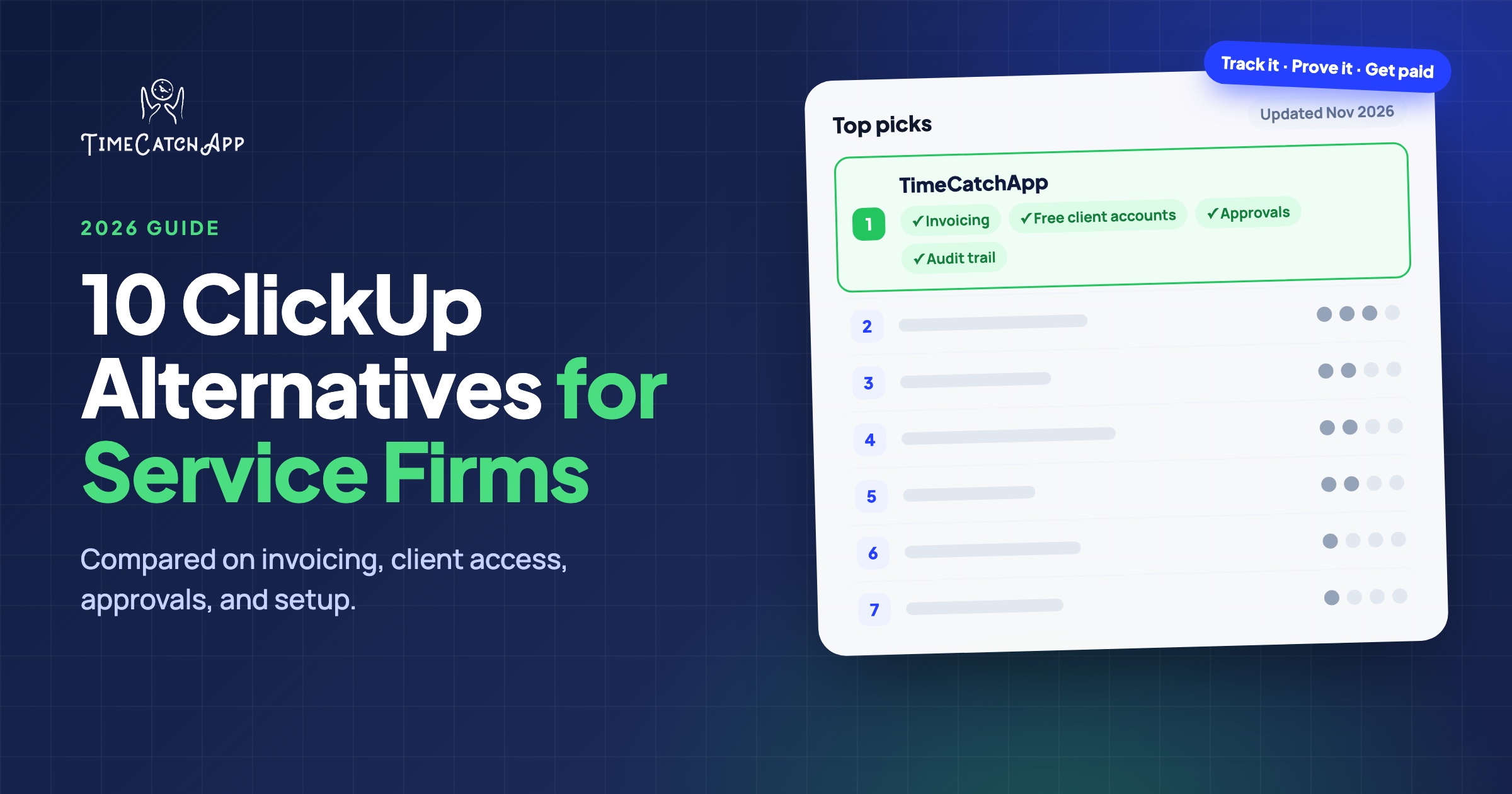
For small professional services organizations, we put together 10 ClickUp alternatives to consider that might better suit your needs. ClickUp is flexible enough to organize almost any kind of work, but it falls short where client work ends: It has no built-in invoicing, so tracked hours get copied into a separate billing tool, clients join your workspace as guests instead of through a portal of their own, and timesheets and audit logs are only on its higher-priced plans.
Each tool below comes with notes on who it fits and where it stops, including where ClickUp itself is still the better choice.
Already down to two? Read our side-by-side TimeCatchApp vs. ClickUp comparison.
On this page
How we chose these ClickUp alternativesClickUp alternatives at a glanceClickUp alternatives at a glanceThe 10 best ClickUp alternatives for small service firmsHow to choose the right ClickUp alternativeCommon questions about ClickUp alternativesReady to see it for yourself?SourcesHow we chose these ClickUp alternatives
Every tool here was judged on the four things that matter most when your work ends in a client invoice:
- Getting paid: can it turn tracked time into an invoice without a second tool?
- Client access: how do clients review work, approve it, and pay?
- Proof of work: timesheets, approvals, and an audit trail you can point to later.
- Fit: is it sized for a firm of 1 to 100 people, or for an enterprise operations team?
- Getting started: can a small firm sign up and start on its own, or does it begin with a demo and an implementation project?
We judged setup by each vendor’s sign-up and onboarding process as its own website describes it, not by review scores.
ClickUp alternatives at a glance
| Tool | Best for | Invoicing built in | How clients take part | Getting started |
|---|---|---|---|---|
| TimeCatchApp | Consultants, agencies, and service firms of 1 to 100 people | Yes, from tracked time, paid through Stripe | Free client accounts, with no cap | 14-day free trial; setup in under an hour, with an onboarding guide |
| Teamwork.com | Agencies running client projects and retainers | On Accelerate and up | Client users on Basics and up | Free plan or 14-day trial |
| Harvest | Freelancers and small teams that mainly need hours and invoices | Yes, on every plan | Clients receive invoices | Free plan or 30-day trial |
| Productive | Agencies running sales through delivery in one system | Yes, with revenue recognition | Not confirmed on its site | 14-day trial or a demo |
| Scoro | Agencies that want CRM and financial forecasting | Yes | Not confirmed on its site | 14-day trial (5-user minimum), plus onboarding packages |
| BigTime | Growing firms that need scoping, quoting, and utilization reporting | Yes, invoicing and payments | Not confirmed on its site | Starts with a demo |
| Accelo | Firms juggling many concurrent client engagements | Yes, with retainer management | Client requests and a general approval step | Demo and custom quote |
| monday.com | Teams that want visual boards across departments | Not in its work management plans | Guests on Standard and up | Free plan |
| Asana | Teams coordinating projects and portfolios | Not offered | Unlimited free guests on paid plans | Free plan |
| Kantata | Large, enterprise services organizations | Through its Financial Management module | Not confirmed on its site | Pricing request to an advisor |
The 10 best ClickUp alternatives for small service firms
1. TimeCatchApp
Best for: consultants, agencies, and professional service firms of 1 to 100 people whose work ends in a client invoice.
Getting started: sign up yourself and start a 14-day free trial. Setup takes less than an hour, and most firms are tracking time the same day they sign up. Every organization gets an onboarding guide, who can set up your account on a call, train your team, and help import the clients, projects, and data you already have. Files can stay in Google Docs or Dropbox. If an account goes dormant, its data is never removed. Only creating and editing stop.
TimeCatchApp connects the parts of client work that ClickUp leaves to other tools: time tracking, document review, client approval, and invoicing. A proposal goes through internal review and client sign-off on the document itself. Work is tracked with one-click timers on each task. When the work is done, the invoice comes straight from the tracked time, and the client pays from their own dashboard through Stripe.
Where it beats ClickUp for service firms:
- Invoices come from tracked work, and clients can pay through Stripe, in multiple currencies.
- Clients get a free account with their own dashboard to review, approve, and pay. There’s no cap on the number of client accounts.
- Every approval and edit is recorded in an audit trail that’s included on every plan.
- The Live Project Ledger shows a project’s hours, approvals, and payments as they happen.
- The Command Center lets you run the app by typing or speaking in English, Hindi, Hinglish, Spanish, Russian, and more.
- Files can stay in Google Docs or Dropbox. Link them, and they’re covered by the same approvals and audit trail.
Keep in mind:
- No Gantt charts, Kanban boards, or resource planning. If you plan capacity across a large team, ClickUp or a PSA tool further down this list will serve you better.
- No built-in connections to QuickBooks, Xero, or Zapier yet.
- There’s no free plan. After the 14-day trial, you move to a paid plan.
- Proposals are approved as documents. There’s no quote builder.
Start a 14-day free trial or see the plans.
2. Teamwork.com
Best for: agencies and consultancies that manage many client projects and retainers and want project management with billing attached.
Getting started: sign up yourself on the free plan or a 14-day trial, with no credit card. Free expert training comes with every plan, and Teamwork.com says ClickUp projects can be imported with a click. Hands-on onboarding and data migration are a separately priced add-on.
Teamwork.com is the closest thing on this list to “ClickUp for client work.” It keeps the task and project management depth that ClickUp users are used to, and adds billable rates, retainers, and invoicing from logged time on its higher plans.
Where it beats ClickUp for service firms:
- Invoices from logged time on the Accelerate plan and up, with margin, tax, and discounts on Optimize.
- Client users can be invited into projects on Basics and up.
- Time budgets, retainers, and workload planning on Accelerate, with profitability by project or client on Optimize.
Keep in mind:
- Invoicing isn’t on the Free or Basics plans.
- Timesheet approval is on Optimize and Enterprise only.
- Its pricing page doesn’t mention collecting client payments online.
3. Harvest
Best for: freelancers and small teams that mainly need to track hours and send invoices.
Getting started: sign up yourself on the free plan or a 30-day trial, with no credit card. Projects and team members can be imported from a CSV file on Teams and up. Assisted migration and custom onboarding are on its top plan.
Harvest has been a go-to for time tracking and invoicing for years. It’s simple to start, and invoicing is included on every plan, the free one included.
Where it beats ClickUp for service firms:
- Time tracking and invoicing on every plan.
- Connects to Stripe, QuickBooks Online, and Xero on the Teams plan and up.
- Team capacity and utilization reports on Teams and up.
Keep in mind:
- Harvest isn’t a project management tool, so most teams pair it with one. Its resource planning lives in a separate product, Forecast.
- Timesheet approval and the activity log are on the Enterprise plan only.
- Its pricing page doesn’t describe a client login or portal. Clients receive invoices.
4. Productive
Best for: agencies that want sales pipeline, resourcing, and delivery in one system.
Getting started: a 14-day free trial with no credit card, or book a demo. Tasks can be imported from a CSV file. Its pricing page doesn’t describe an onboarding service.
Productive is an agency management platform with a built-in CRM, resource planning, and a collaborative, AI-assisted Docs feature.
Where it beats ClickUp for service firms:
- Invoicing and billing are built in, with revenue recognition.
- Sales pipeline and delivery live in the same tool.
- Resource planning for agencies staffing several projects at once.
Keep in mind:
- A named client approval workflow isn’t featured on its site.
- It’s a broader platform than a small consultancy may need.
Read TimeCatchApp vs. Productive
5. Scoro
Best for: agencies and consultancies that want CRM, deep resourcing, and financial forecasting.
Getting started: a 14-day free trial with no credit card and a five-user minimum. Onboarding packages range from self-guided tutorials to guided configuration and data migration, depending on team size. Scoro says getting fully up and running takes a few days to a few months.
Scoro is a configurable professional services automation (PSA) platform made up of several connected apps, including CRM, resource planning, and finance.
Where it beats ClickUp for service firms:
- Invoicing and billing are included.
- Strong resource planning and capacity forecasting.
- Built-in CRM and quoting.
Keep in mind:
- A named approval workflow and an audit trail aren’t featured on its public pages.
- Expect some setup time to configure the modules you need.
6. BigTime
Best for: growing firms that need detailed scoping, quoting, and utilization reporting.
Getting started: every plan starts with a demo. Its pricing page doesn’t list a self-serve sign-up or free trial. A dedicated implementation consultant is part of its support.
BigTime is a PSA platform focused on scoping and quoting, time and expense tracking, resource management, and billing. Its Enterprise tier adds support for multi-entity firms.
Where it beats ClickUp for service firms:
- Invoicing and payments are included.
- Detailed utilization and resource reporting.
- Multi-entity support at the Enterprise tier.
Keep in mind:
- A named client approval workflow isn’t featured on its site.
- It’s built for firms with an operations or finance lead to run it.
7. Accelo
Best for: firms managing many concurrent client engagements and retainers.
Getting started: starts with a demo and a custom quote. Plans include implementation guidance and onboarding support, and Accelo says most teams are up and running in a matter of weeks.
Accelo is an AI-driven PSA platform that connects project delivery, resourcing, and financials for firms with a large portfolio of client work.
Where it beats ClickUp for service firms:
- Invoicing and billing, with retainer management.
- Client request management and a general approval step.
- AI-driven resourcing and profitability forecasting.
Keep in mind:
- Its approval step is general rather than tied to each document’s history.
- It’s sized for firms running many engagements at once.
8. monday.com
Best for: teams that want visual, easy-to-adopt boards across many departments.
Getting started: sign up yourself on the free plan, with no credit card. Tailored onboarding and training come with Enterprise.
monday.com is a visual work platform that’s quick for a team to pick up. Like ClickUp, it’s built for organizing almost any kind of work, so it’s an alternative mainly if you prefer its style.
Where it beats ClickUp for service firms:
- Many teams find its boards easier to adopt than ClickUp’s many options.
- Unlimited free viewers on paid plans, and guest access on Standard and up.
- A free plan for up to two seats.
Keep in mind:
- Time tracking is on the Pro plan, and resource management on Enterprise.
- Its work management plans don’t include invoicing. Quotes and invoices are part of a separate product, monday CRM.
- Approvals and audit logs aren’t listed on its pricing page.
9. Asana
Best for: teams coordinating projects and portfolios across departments.
Getting started: sign up yourself on the free plan. Dedicated customer success help is available to accounts that qualify.
Asana is one of the most polished project management tools available, with strong portfolio and workload views. Like ClickUp, it’s built for organizing work, not for billing it.
Where it beats ClickUp for service firms:
- Unlimited free guests on paid plans, so clients and contractors don’t use up seats.
- Approvals and proofing, plus resource management, on the Advanced plan.
- A free plan for up to two users.
Keep in mind:
- Invoicing isn’t offered.
- Time tracking is on Advanced, and timesheets are a paid add-on.
- Formal audit logs are on its highest plans.
10. Kantata
Best for: large, enterprise professional services organizations with dedicated operations and resourcing teams.
Getting started: pricing starts with a request form, and an advisor follows up. Its site doesn’t list a free trial or self-serve sign-up.
Kantata is an enterprise-grade, AI-driven PSA platform. Its homepage names organizations like Deloitte, Sage, and Hitachi among those that rely on it.
Where it beats ClickUp for service firms:
- Invoicing and billing through its Financial Management module.
- AI-driven resource forecasting at scale.
- Business intelligence across large portfolios.
Keep in mind:
- It’s built for large organizations, with the setup and administration that implies.
- A named approval workflow and an audit trail aren’t featured on its site.
How to choose the right ClickUp alternative
- Your work ends in a client invoice, and clients need to sign off: TimeCatchApp keeps time, approval, and payment in one place, at a size that suits a firm of 1 to 100 people.
- You want ClickUp-style project management with billing: Teamwork.com, on its Accelerate plan or higher.
- You mainly need hours and invoices: Harvest, paired with a project tool.
- You staff many consultants and need capacity forecasting: Scoro, BigTime, Accelo, or, at enterprise scale, Kantata.
- You want to start this week, without a sales call: TimeCatchApp, Teamwork.com, Harvest, monday.com, and Asana all let you sign up and start on your own.
- You love ClickUp’s flexibility: keep ClickUp and add a billing tool. Expect to copy hours between the two.
Common questions about ClickUp alternatives
What is the best ClickUp alternative for agencies?
It depends on where the friction is. If it’s billing and client sign-off, choose a tool with invoicing and client access built in, like TimeCatchApp or Teamwork.com. If it’s staffing many people across projects, a PSA platform like Scoro or Productive is a better fit.
Is there a free ClickUp alternative?
Teamwork.com, Harvest, monday.com, and Asana have free plans, each with limits on users, projects, or boards. TimeCatchApp has a 14-day free trial instead, with an onboarding guide for every organization, and your data is never removed if your account goes dormant.
Which ClickUp alternatives have invoicing built in?
TimeCatchApp, Harvest, Productive, Scoro, BigTime, and Accelo all include invoicing. Teamwork.com includes it on Accelerate and up, and Kantata through its Financial Management module. monday.com’s work management plans and Asana don’t.
Which ClickUp alternative has a client portal?
In TimeCatchApp, every client gets a free account with their own dashboard to review, approve, and pay, and there’s no cap on client accounts. Teamwork.com lets you invite client users into projects, and Asana offers unlimited free guests on paid plans.
Which ClickUp alternatives are quickest to set up?
The tools you can sign up for yourself: TimeCatchApp, Teamwork.com, Harvest, monday.com, and Asana. TimeCatchApp setup takes less than an hour, most firms are tracking time the same day they sign up, and every organization gets an onboarding guide to set up the account and import existing data. PSA platforms like BigTime, Accelo, and Kantata start with a demo, and Accelo says most teams are running within weeks.
Can I keep ClickUp and add invoicing?
Yes. Many teams keep ClickUp for project work and send invoices from a separate billing tool. The trade-off is copying hours between the two, and approvals and payments living somewhere else.
Ready to see it for yourself?
If your work ends in a client invoice, start a 14-day free trial of TimeCatchApp, with an onboarding guide to help you set up. Your clients’ accounts are always free. Or start with the full TimeCatchApp vs. ClickUp comparison.
Sources
Competitor details come from each vendor’s own website as of November 2026: